
Deleting a Smart Test given to the class:
- Go to Smart Tests
- Locate the test you want to remove using the dropdown menu.
- Click the “Delete” button, which is represented by a garbage can icon.
- Double-check that you intend to delete the test and confirm the action.
Once you’ve completed these steps, the test will be permanently removed.

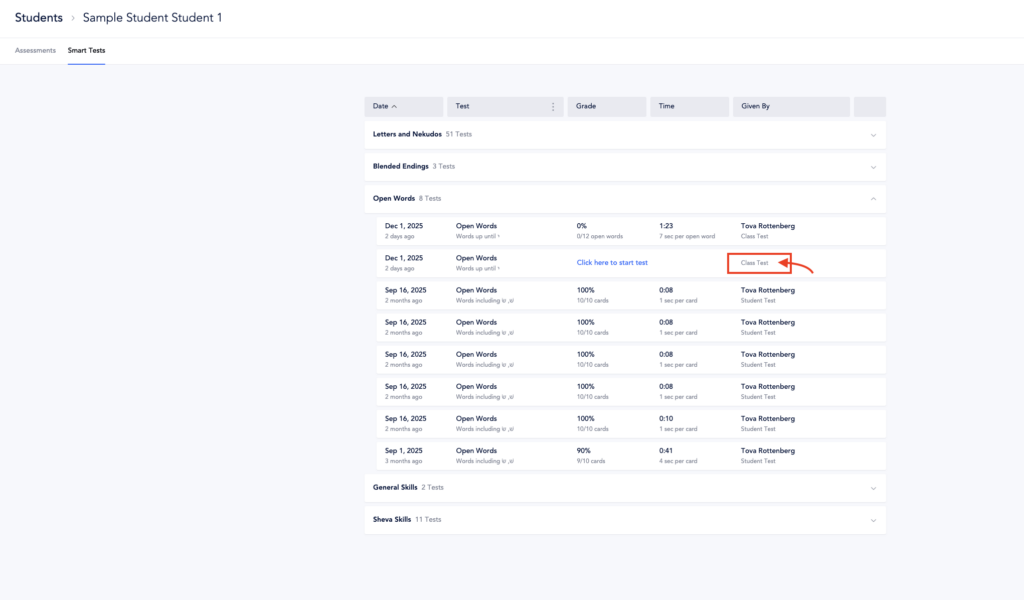
 Note: Tests marked as “Class Test” indicate they were assigned to the entire class. Because of this, they cannot be deleted from the student page.
Deleting a Smart Test given to an individual student:
- Go to Students Tab
- Select the student
- Go to Smart Tests Tab
- Select the test that you’d like to delete
- Select Delete Test
- Double-check that you intend to delete the test and confirm the action.
