
Retesting Made Easy with Smart Tests!
Need to retest a student? You’ve got 2 options:
Retesting right after completing the test
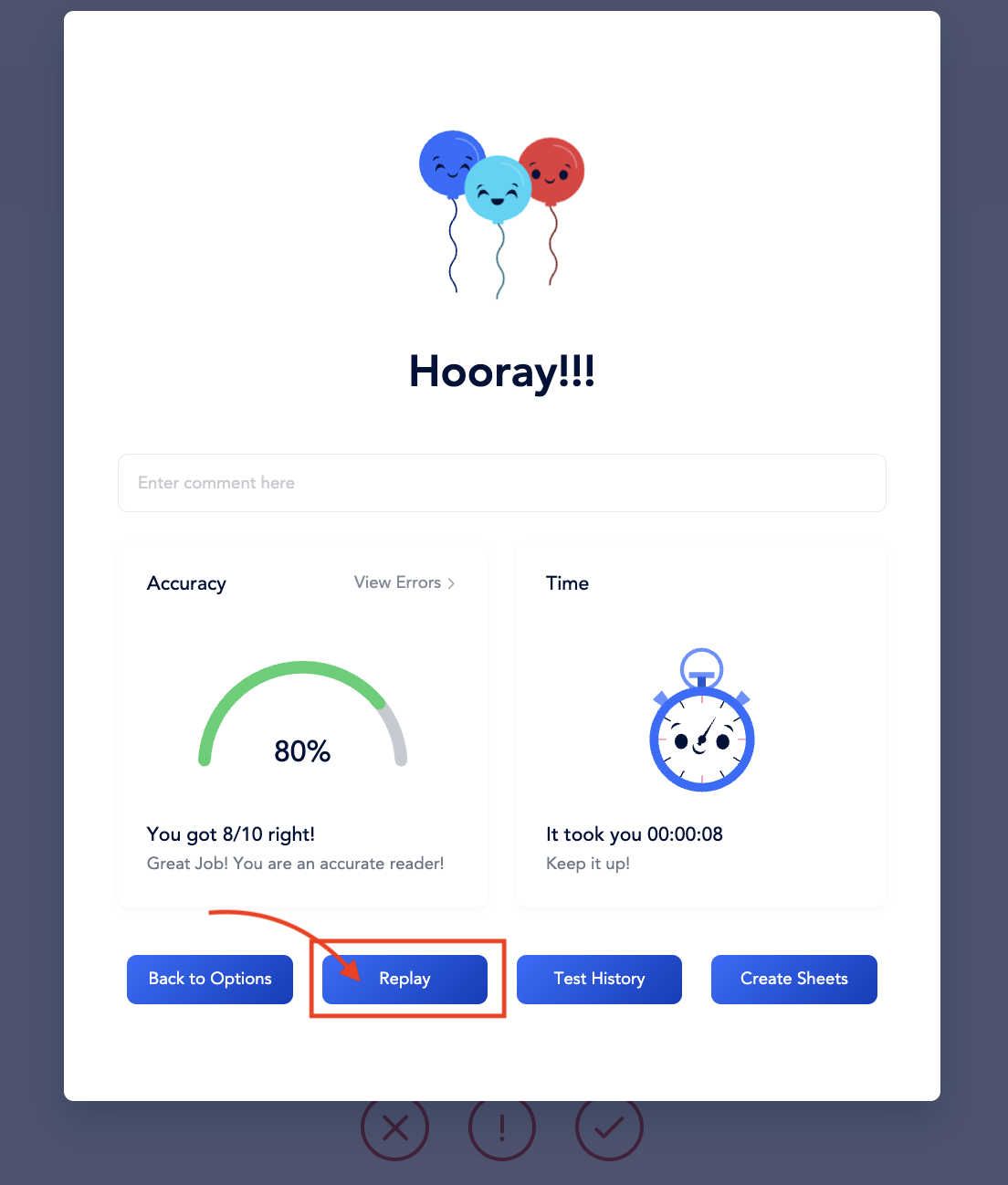
- Look for the “Replay” button on the results screen.
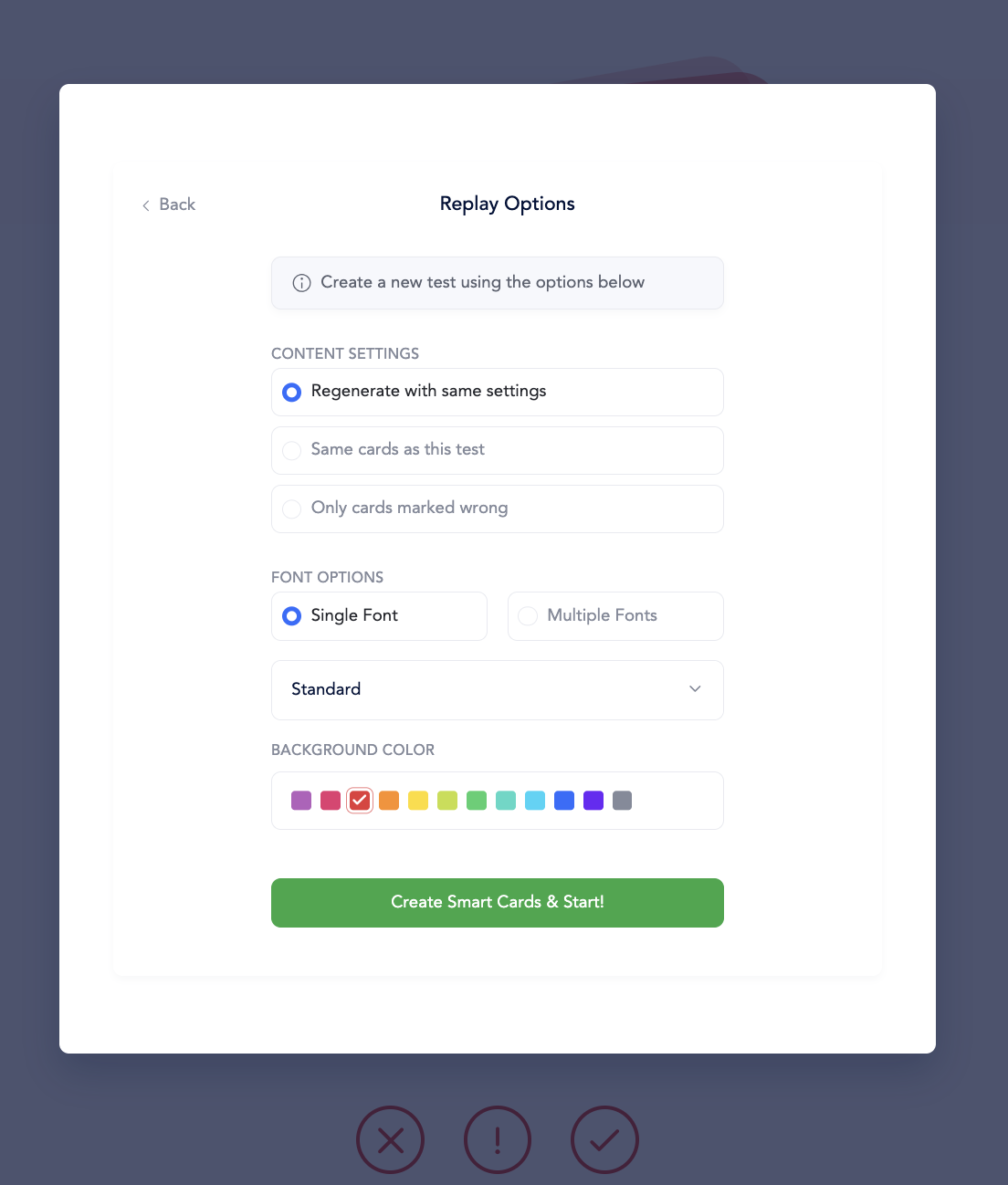
- Choose to retest either:
- Replay using the same options: Perfect for further practice on the same skill set.
- Use only the words marked as errors: Focus on areas needing improvement.
Retesting at a later point
Go to the Students Tab
- Select Student
- Navigate to ‘Smart Tests’
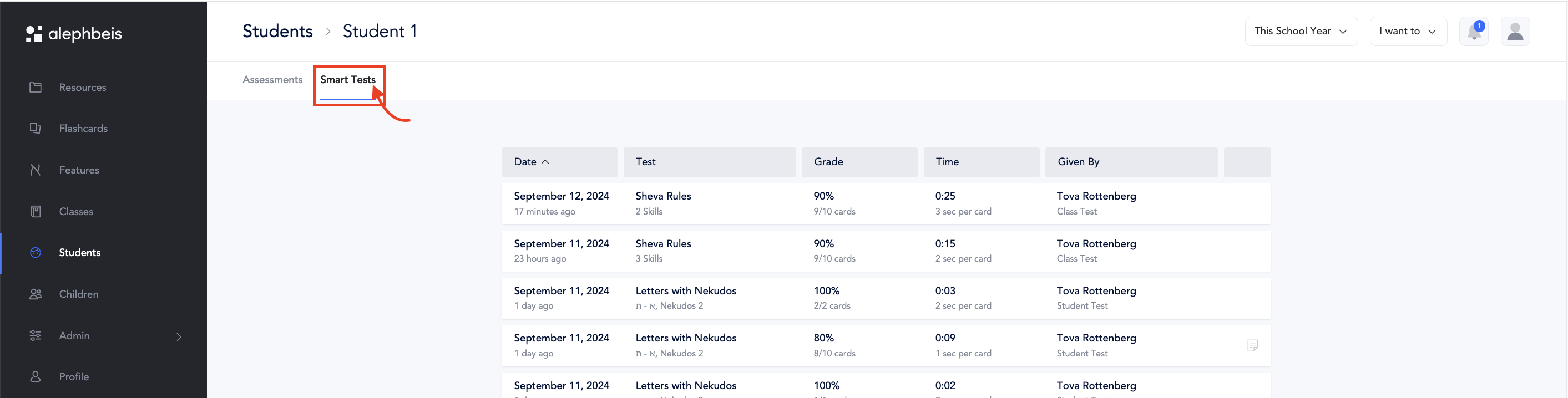
- Find the desired test and click on it to pull up the information about the test.
- Click ‘Retest’ to redo the entire test.
- Bonus: Soon, you’ll be able to retest only the errors like you can when retesting immediately after admistering the assessment.
