
Stealth Mode for Flashcards
Stealth Mode allows teachers to remove performance-related visuals during Flashcard sessions.
While we generally recommend that students do see timing, grades, and errors—since that feedback supports progress and accountability—Stealth Mode was added based on user requests for situations where a reduced-feedback environment is beneficial.
Available Stealth Mode Options
Hide Timer
Removes the timer from the student view so they can work without time pressure.
Hide Grading
Prevents grades from being displayed during the session.
Stealth Buttons
Removes visual feedback from answer buttons (correct, incorrect, self-correct), so responses are not immediately reinforced visually.
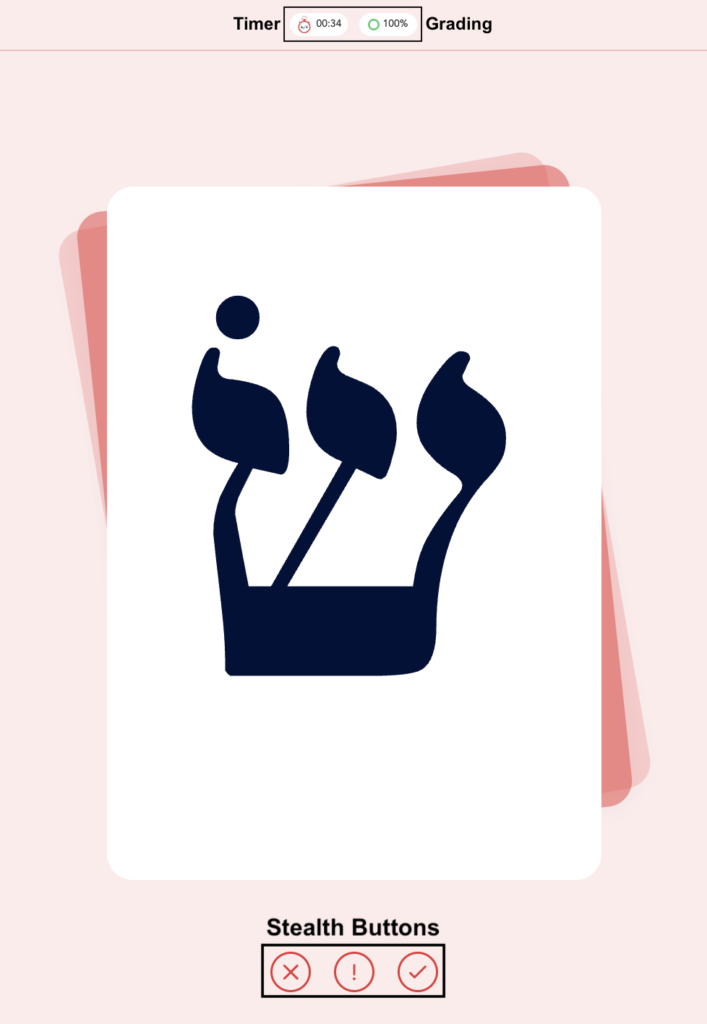

To access this feature:
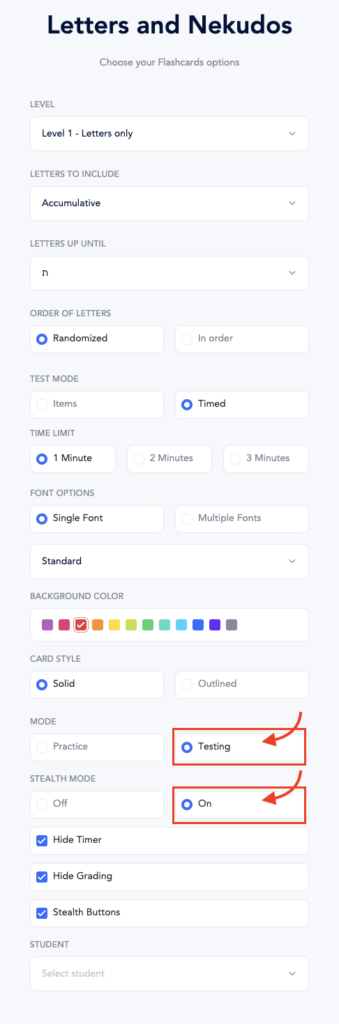
- Go to Flashcards
- Select the set you want to use (e.g., Letters and Nekudos)
- Choose your desired criteria/settings (level, letters, order, etc.)
- Under Mode, select Testing
- Toggle Stealth Mode to On
- Select any of the following options as needed:
- Hide Timer
- Hide Grading
- Stealth Buttons
Stealth Mode settings will apply when the flashcard session begins.
What Still Happens Behind the Scenes
- All responses are still recorded
- Teachers retain full access to results and performance data
- No functionality is lost—only the student-facing display is adjusted
Best Practice
Use Stealth Mode selectively. In most cases, real-time feedback (timing, grading, and error awareness) is valuable for learning.
When students understand that the goal is growth—not perfection, and that mistakes are a natural and important part of learning, they are much less likely to feel pressure from that feedback. In those environments, students do not need Stealth Mode.
Stealth Mode is best used as a targeted support when that mindset is still developing or when the feedback becomes a distraction rather than a tool.