
Accessing Homework, Assessments, and Workbooks
Overview
Previously, all recommended downloadable content was provided through direct links in the Sefer Guides. However, we found that these links often broke, leaving teachers to search for the files manually. Until we have a more reliable system in place, we’ve shifted from providing direct links to listing the names of the required files so that you can easily locate and download them yourself.
Where to Find File Names
Homework
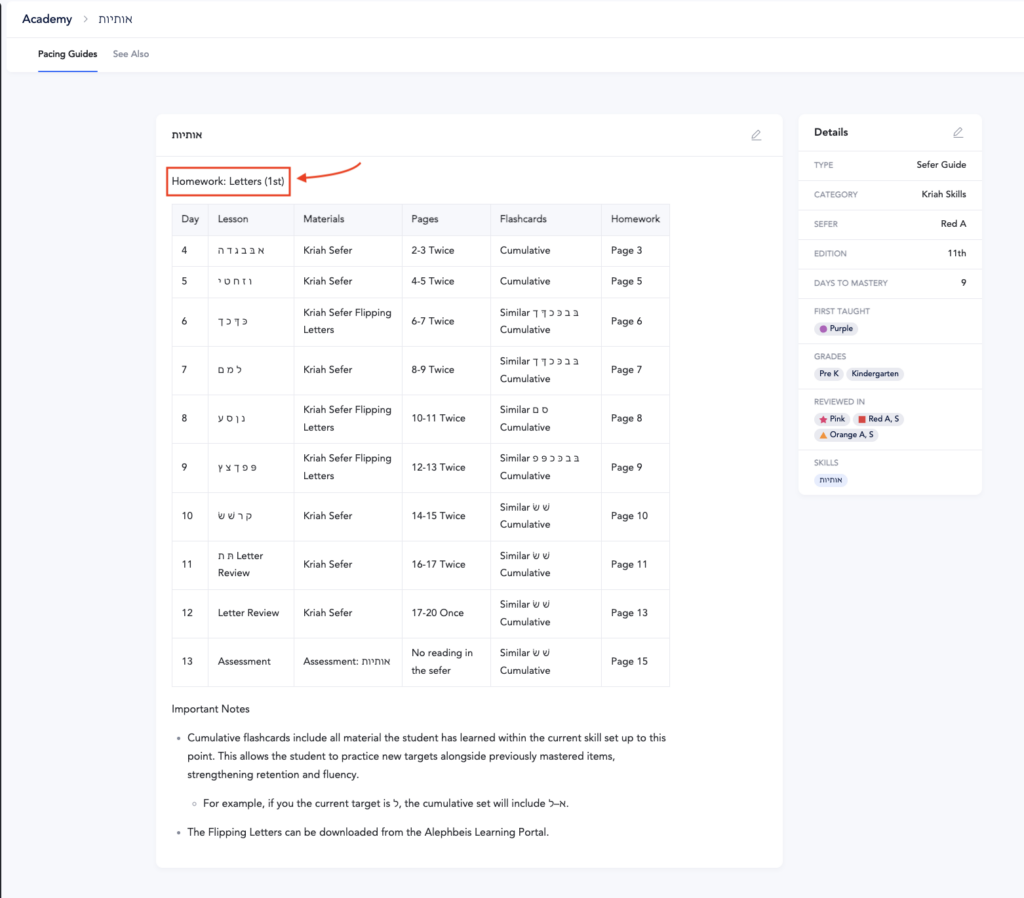
- The name of the homework file is listed at the top of the page in the Sefer Guide.
- The specific homework pages are notated alongside the day’s teaching content in the guide.
- See the picture below for an example.
Workbooks
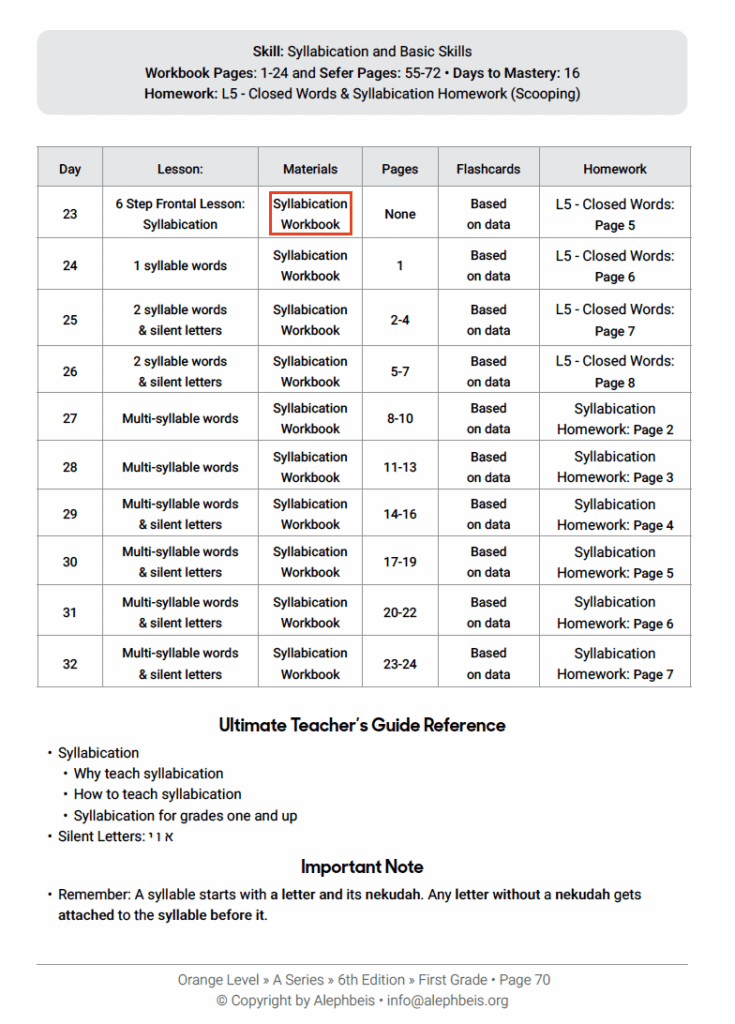
- The name of the workbook file can be found under the “Materials” section.
- The specific workbook pages are notated alongside the day’s teaching content in the guide.
- See the picture below for an example.
Assessments
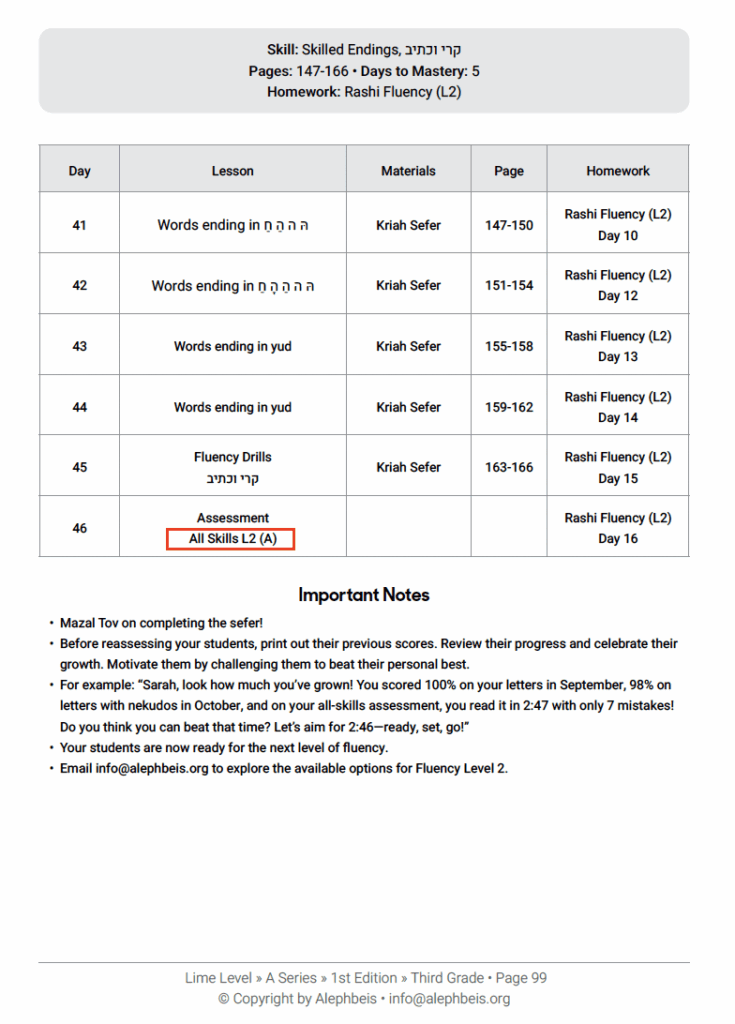
- The name of the assessment can be found under the “Lesson” section.
- See the picture below for an example.
Important: Double-Check Your Level
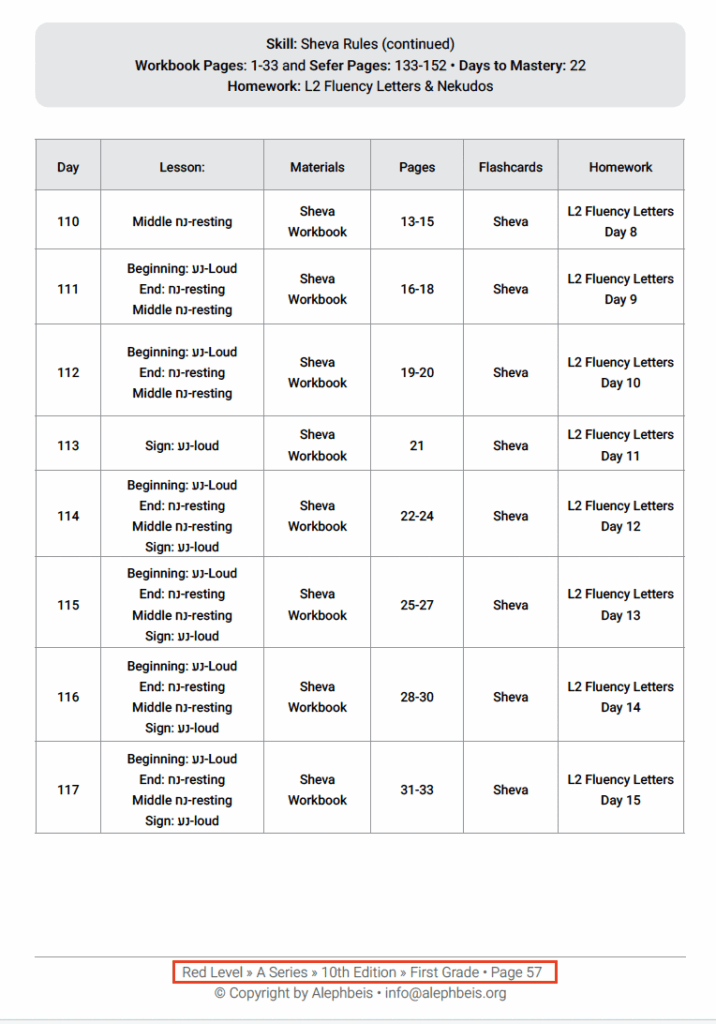
Make sure you’re working within the correct curricular level and grade level:
- Example: The Red Level is used in both the kindergarten and the first grade classroom, but the way it’s implemented is different.
- Confirm that you’re on the correct level and grade before searching for or downloading materials.
Note: Once you reach the Orange Level and above, the directions are the same regardless of the students’ grade level.
How to Access Materials
- Go to app.alephbeis.org
- Navigate to resources
- Type in the name of the file (homework, ,workbook, or assessment) exactly as it appears in the Sefer Guide.
- Download the file.
Troubleshooting
- File not found? Most likely you’re on the wrong curricular level. Double-check both the level and grade.
- Still not seeing the file? If you’ve confirmed you’re on the correct level and the file still doesn’t appear, please email us at [email protected] and we’ll be happy to help.