
A classroom includes the class name, the curricular level selected, and the assigned teacher.
A class refers to the group of students within that classroom.
Both the classroom and the class can be edited at any point during the school year.
For details on editing a classroom, refer to this article.
How to Edit a Class
Once a class has been created, you can edit it—adding or removing individual students or groups of students—by following these steps:
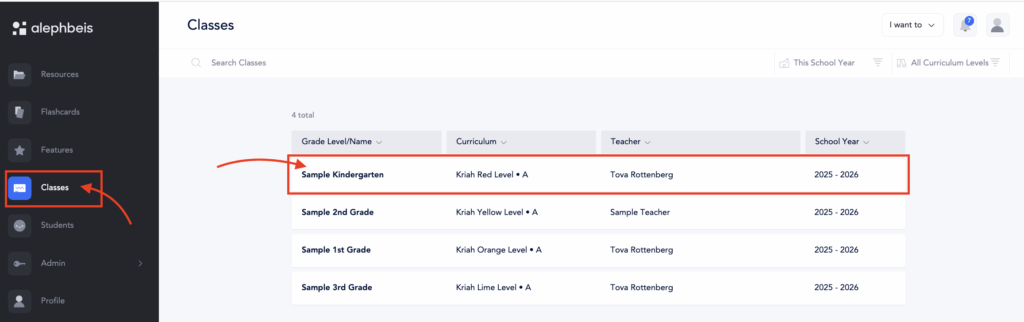
- Go to Classes and select the class you wish to edit.
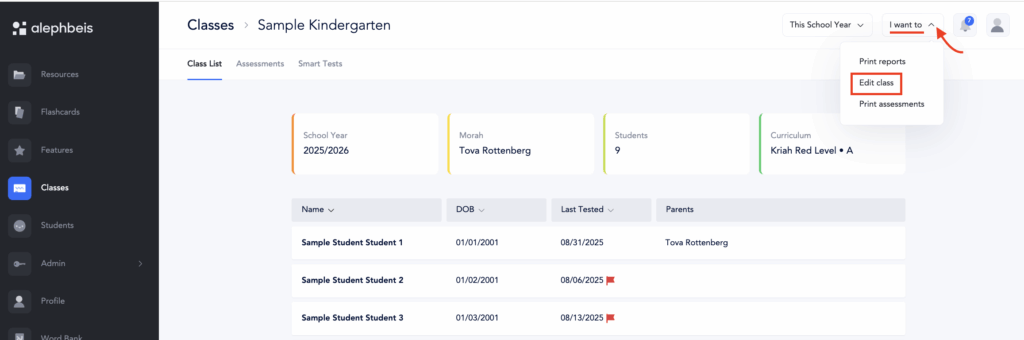
- On the Classes page, click the I want to button in the top-right corner and select Edit Class.
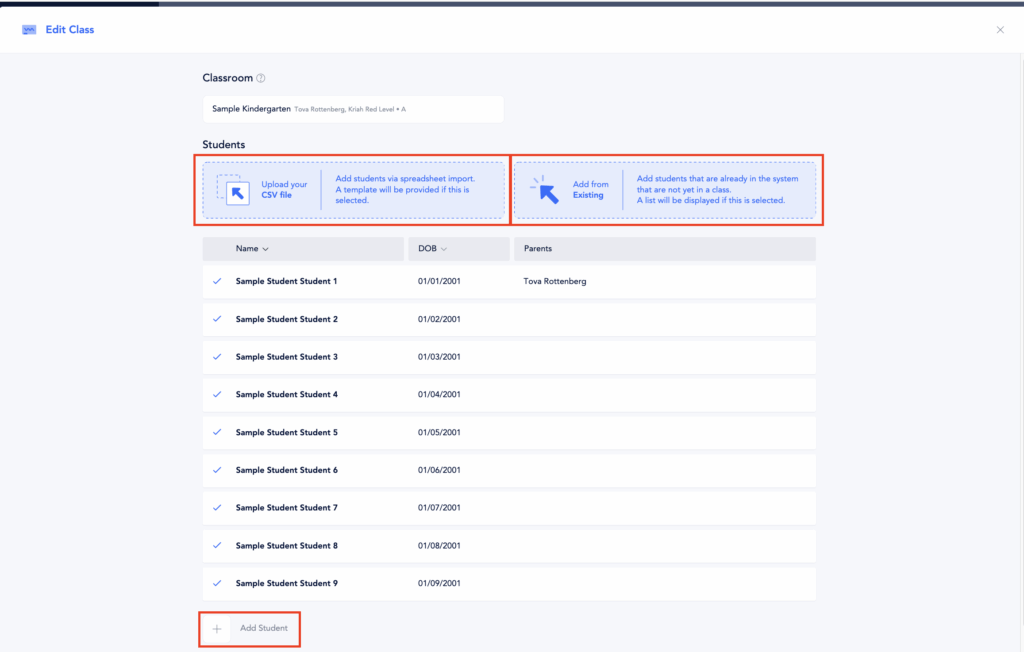
- You can now add students to the existing class in one of three ways:
- Upload a CSV file
- Add from existing
- Add students manually
 For more information about these options, refer refer to this article.
Be sure to click Update after making any edits to save your changes.
Editing Individual Student Information
To edit an individual student:
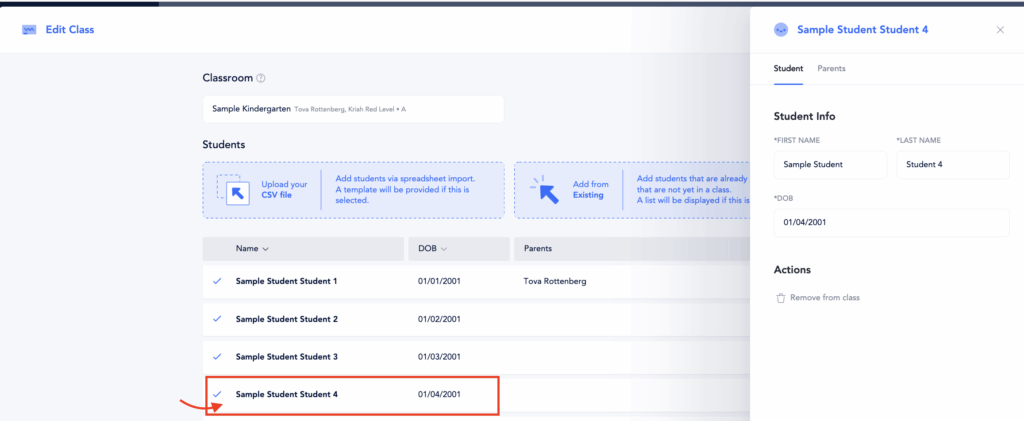
- Select the student you wish to update.
- Make the necessary changes, such as correcting the spelling of their name, updating their date of birth, or modifying parent information.
- You can also remove a student from the class if needed.
Be sure to click Update after making any edits to save your changes.
Students can also be edited directly from the Student page. For more information, refer to this article.
Moving a Class to Another Classroom
As long as no assessment data has been entered—whether through paper assessments or Smart Tests (individually or as a class test)—you can easily move the class to another classroom by clicking the arrow next to the classroom name and selecting the appropriate classroom. This action will transfer the entire class to the new classroom.
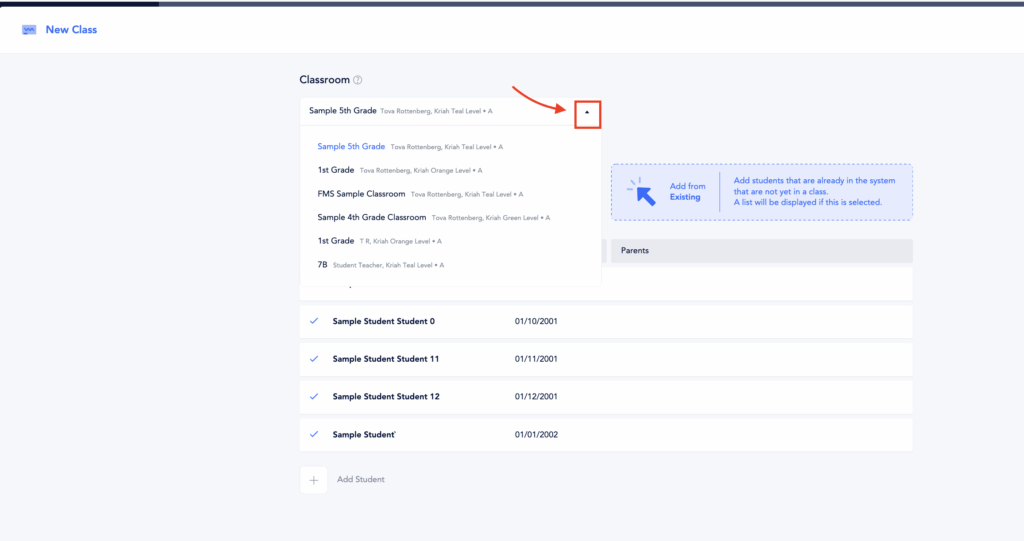
However, once any assessment data has been entered, the option to move the entire class to another classroom will no longer be available. In that case, refer to this article for instructions on how to move individual students to another class.