
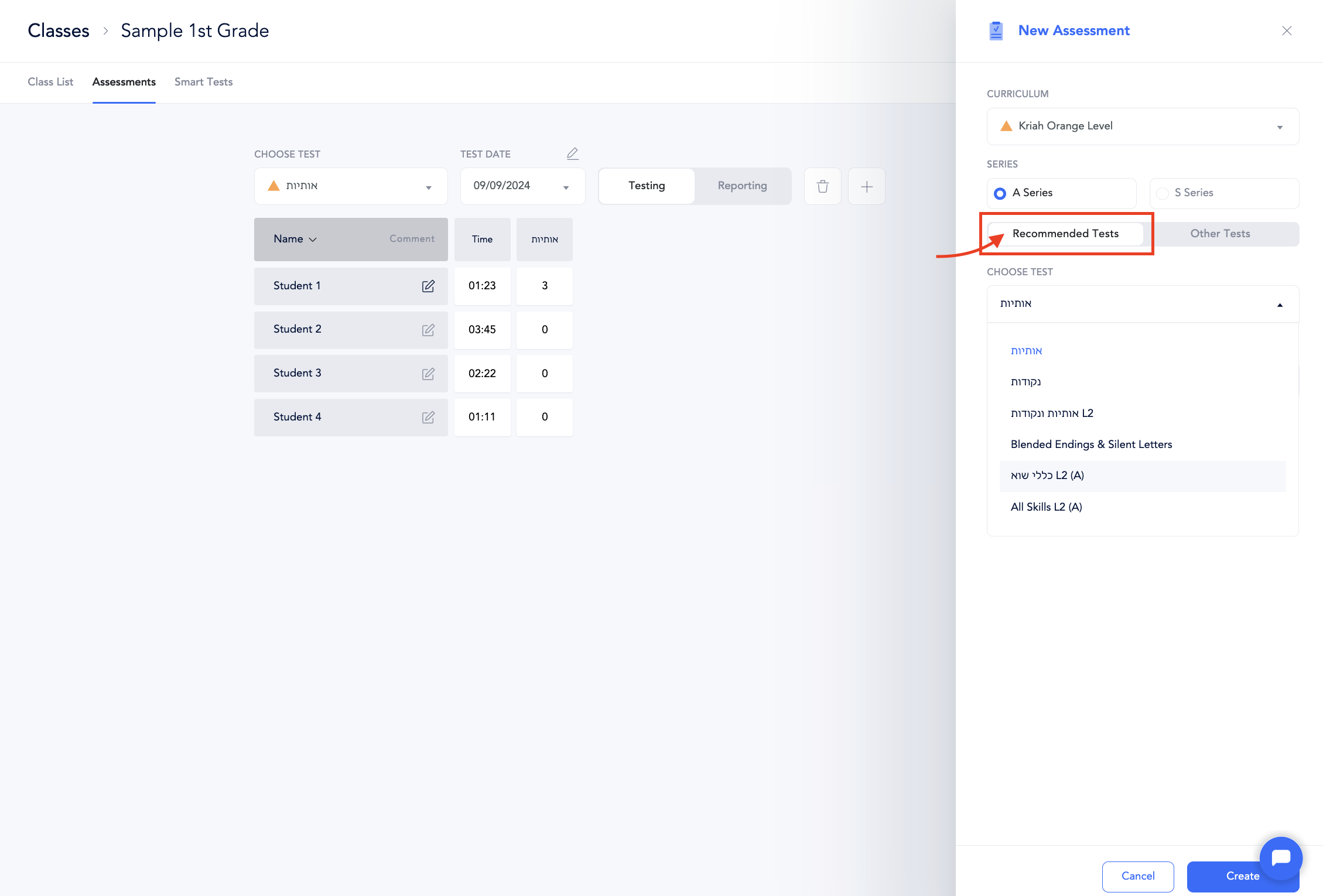
We’ve updated how you select tests to help avoid schools using the wrong assessments for their curriculum level. Now, the interface shows recommended and other assessments.
Please note that the default tests correspond to grade-level assessments, which may not align with the specific sefer your students are using. For instance, if your 5th-grade students are using the Orange Level sefer due to skill gaps, the default assessments will still be set to the Teal Level. In such cases, you’ll need to manually adjust the curricular level to Orange each time you assess. However, the scoring and reporting will continue to use the 5th-grade benchmarks, regardless of the assessment level chosen.
Recommended Asssessments (within your curricular level)
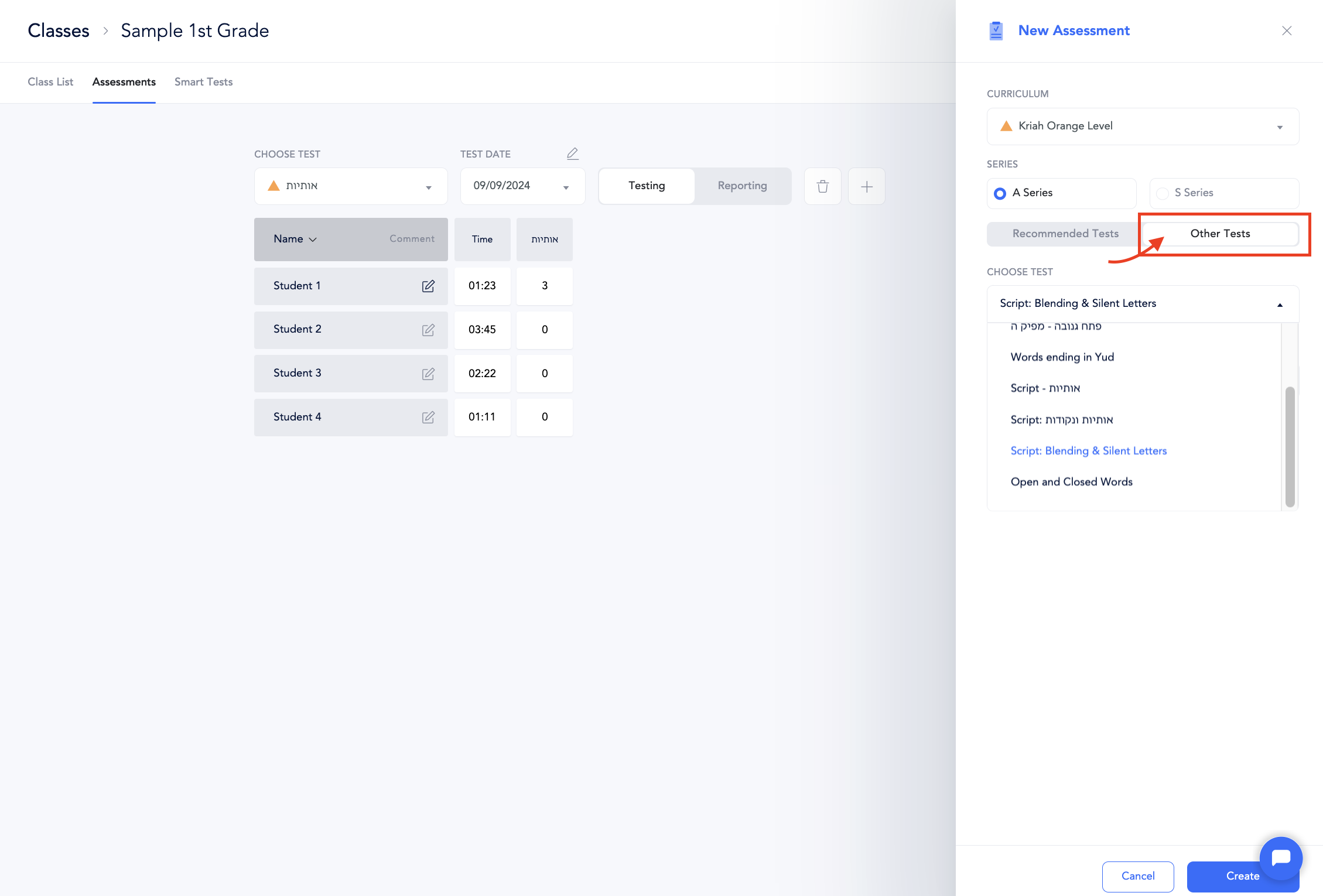
Other Assessments (within your curricular level)
Other assessments, including remedial, script, Rashi, and fluency assessments, were created at the request of specific schools. These additional assessments are available to any student at any grade level.
Assessments for a different curricular level
To find assessments from a different curricular level, use the dropdown menu to select the desired curriculum. The default option will display the recommended tests, but you can also manually choose from the “Other Tests” tab.
