
The Gold Standard Benchmarks are rigorous standards established through a decade-long, in-depth analysis of thousands of assessments, and in partnership with renowned Kriah experts from the United States and Canada. These benchmarks are attainable when students are fully engaged in Kriah, participating actively in both frontal lessons and choral reading.
The default benchmark is set at 75%, but it can be easily modified to accommodate specific needs. Schools have the flexibility to adopt the Gold Standard benchmarks for their entire organization or adjust them individually by class, aligning them with their desired fluency goals.
Adjusting Fluency Benchmarks for the Entire Organization:
- Go to Admin
- Select Organization
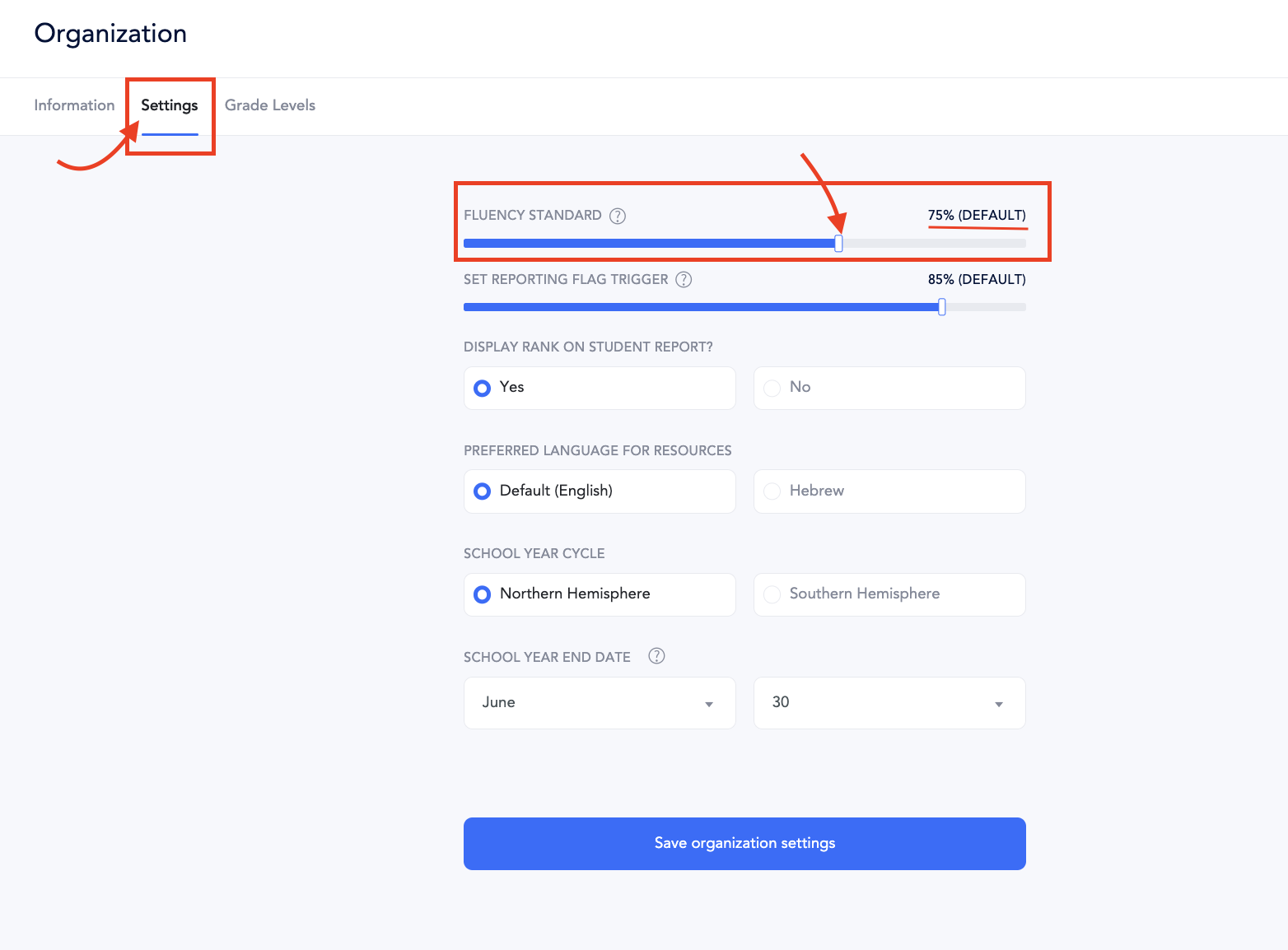
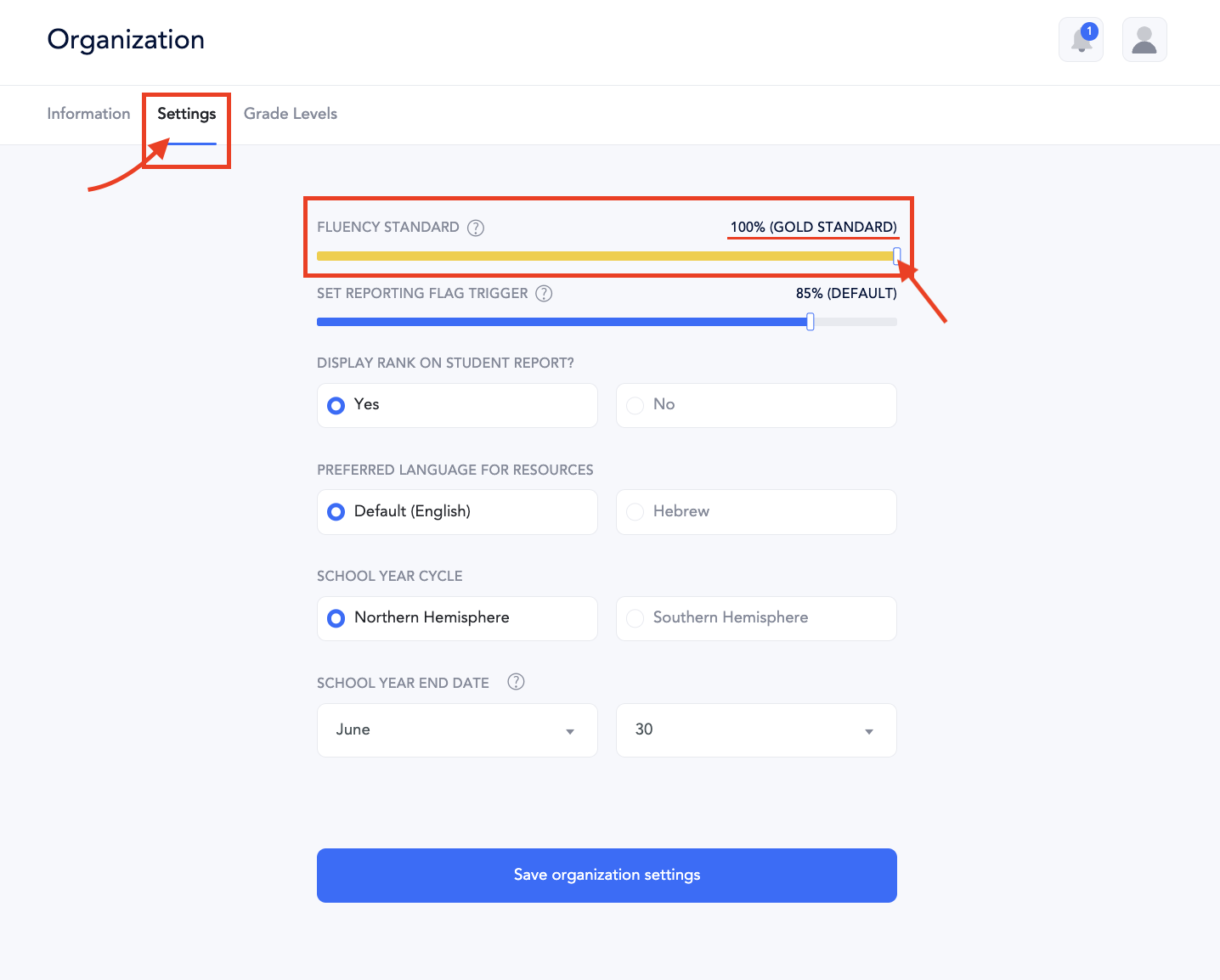
- Select Settings:
- Move the Slider:
Adjust the fluency benchmark by moving the slider to your desired percentage. This setting will apply schoolwide for the entire academic year.
Default Settings: 75%
Gold Standard: 100%
Adjusting Fluency Benchmarks for Individual Classes:
- Go to Classes
- Select Assessments
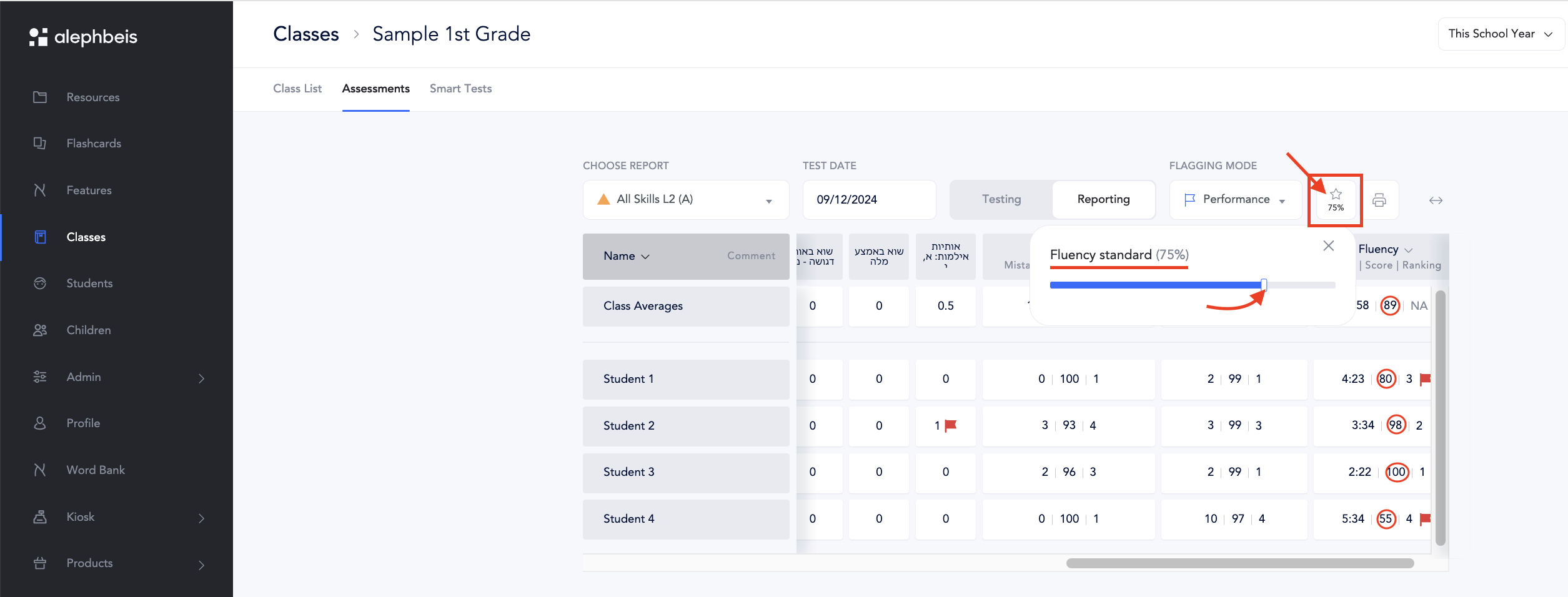
- Click on the Star Icon
- Adjust the Slider
Move the slider to the right or left to set the fluency benchmark for that specific class. This adjustment will apply to the class for the current school year.
Default Settings: 75%
Gold Standard: 100%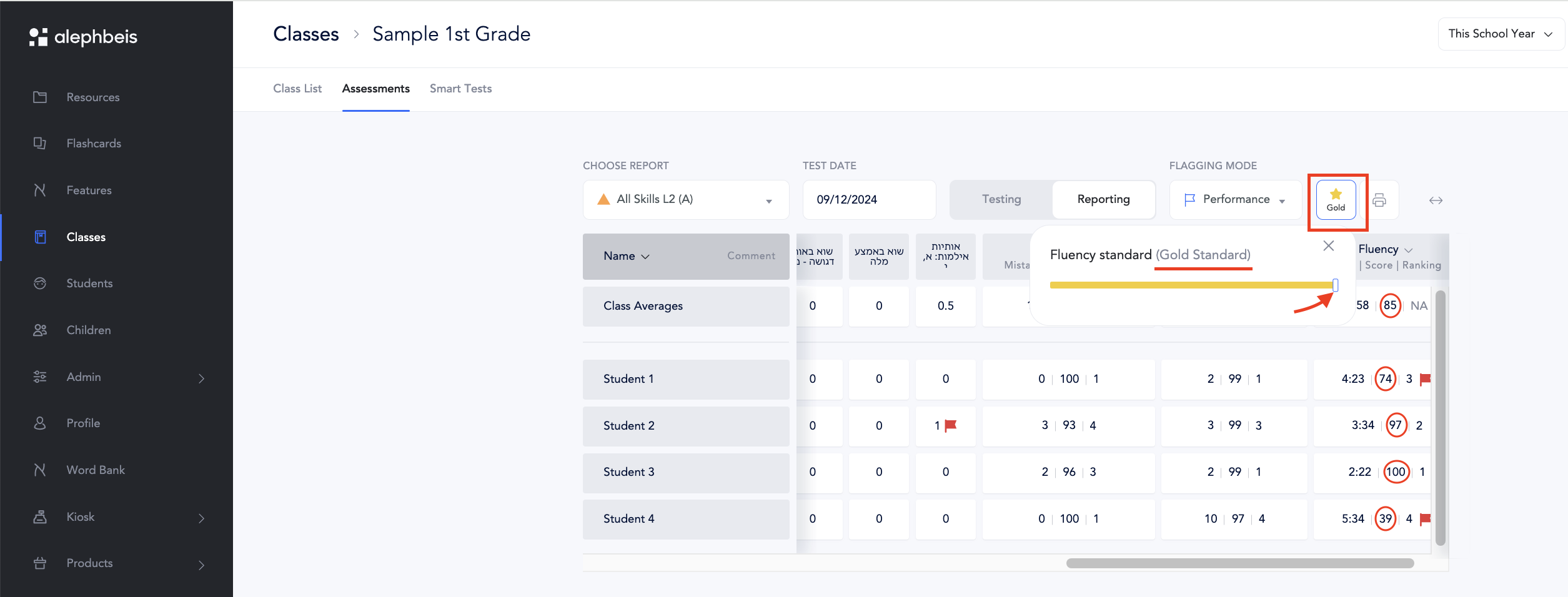
Adjusting Fluency Benchmarks for Individual Students:
- Go to Students.
- Select the student whose benchmarks you want to adjust.
- Click on Assessments.
- Select the Star Icon.
- Adjust the Slider.
Note: While you can adjust fluency benchmarks for individual students, these changes will not remain permanent. The benchmarks will revert to the class-wide setting after the adjustment.