
Whether you are using Classic Homework or Smart Homework, the same homework tracking and communication system can be used to help students build consistent homework habits and keep parents and teachers connected.
Homework Day
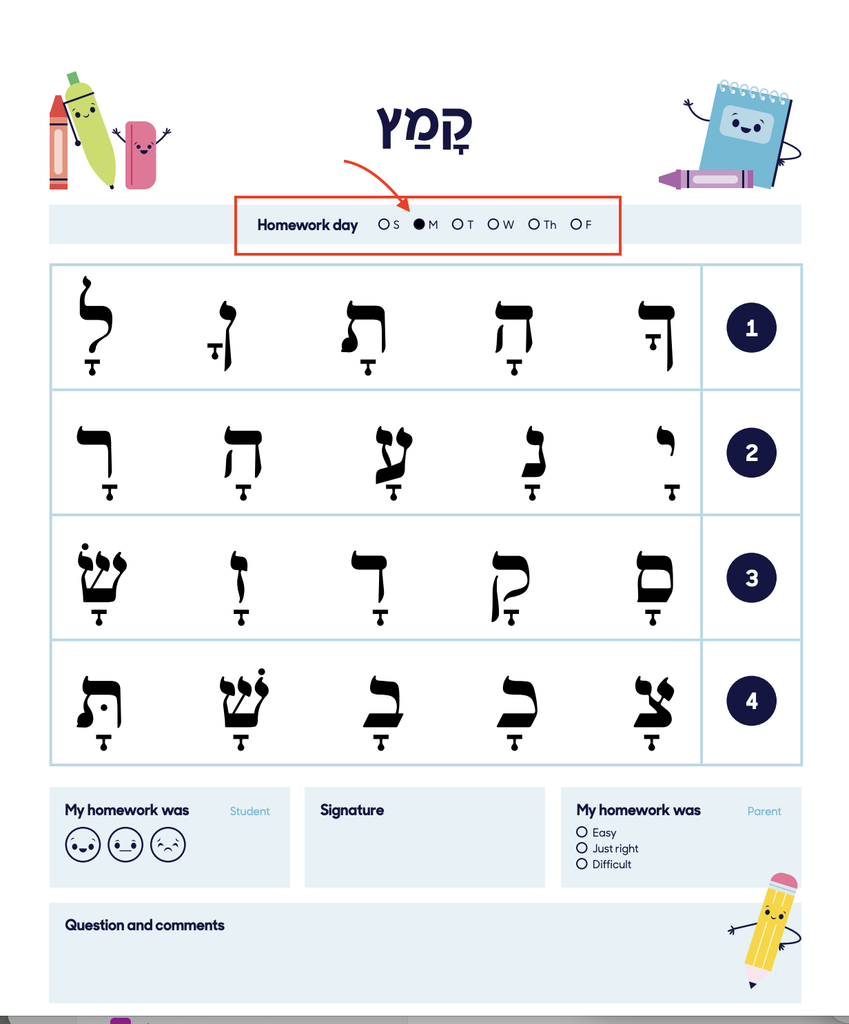
Every homework page includes a Homework Day section that indicates when the assignment should be completed.
Classic Homework
With Classic Homework, the Homework Day is already included on the page. Teachers can mark the appropriate day using the PDF annotation/coloring tools before printing or fill it in by hand.
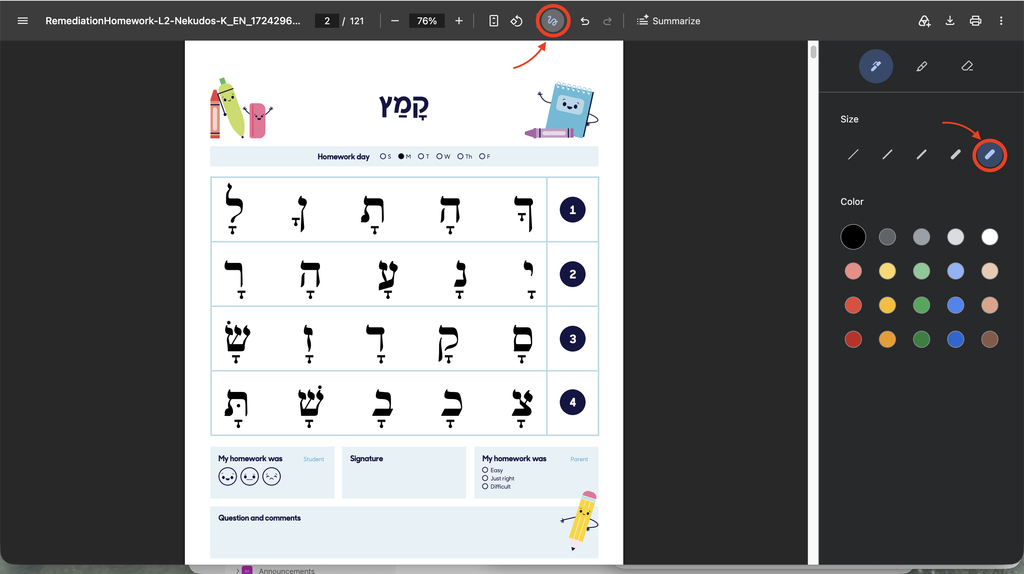
Smart Homework
With Smart Homework, the Homework Day is automatically filled in based on the day selected when the homework is created.
This makes it easy to prepare an entire week’s homework in advance.
Homework Chart
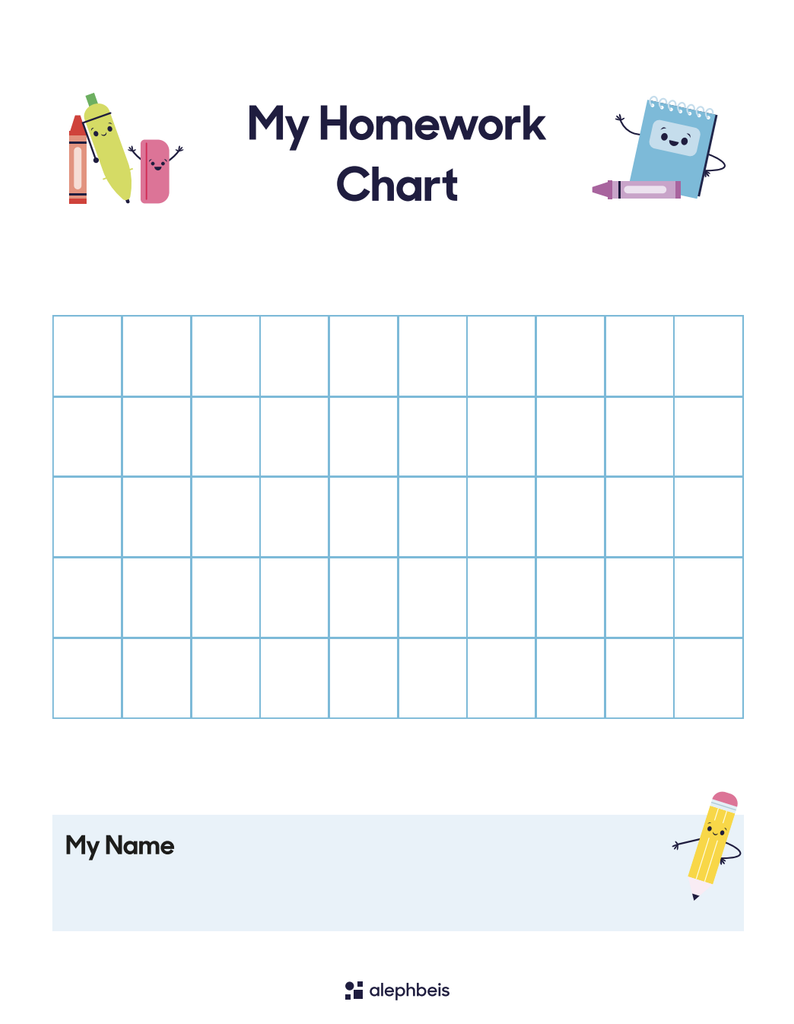
The Homework Chart can be used to track students’ homework completion and can be downloaded from the classic resources on the portal.
We recommend using the chart as the cover of each student’s homework folder.
Clear-view folders work especially well because the chart can remain visible while being protected by the clear cover. Stickers can be added to the chart as students complete their homework.
This gives both the teacher and student a simple visual record of their progress.
Reviewing Homework
We recommend reviewing homework every day.
Students can submit their homework when they arrive in the morning. The teacher or assistant can quickly review the assignment, give the student a sticker, and move on to the next page.
The entire process should take only a couple of minutes and can easily become part of the morning routine.
If homework is reviewed consistently, the Homework Chart also gives you a quick way to see which students are completing their homework regularly.
Homework Rewards
Students receive their homework reward after completing the entire Homework Chart.
The chart tracks 50 days of homework, giving students a clear goal to work toward.
Student Feedback: The Smiley Faces
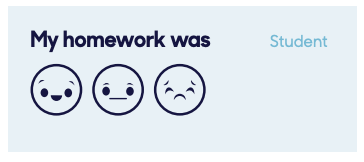
The Homework Chart includes three faces that allow students to indicate how they felt about doing their homework.
- Happy: The student enjoyed doing the homework and was happy to complete it.
- Just okay: The student felt neutral about the homework.
- Sad: The student did not want to do the homework.
The sad face does not necessarily mean that the homework was difficult. A student may have been perfectly capable of completing the assignment but simply didn’t want to do it.
For example, a student might say:
“I couldn’t ride my bike until I finished my homework.”
This creates a wonderful opportunity to recognize the student’s effort:
“Wow! I’m so impressed that you did your homework even though you didn’t want to. That deserves double stickers!”
Acknowledging this kind of perseverance can be very motivating for students.
Parent Signature, Difficulty Rating, and Questions & Comments
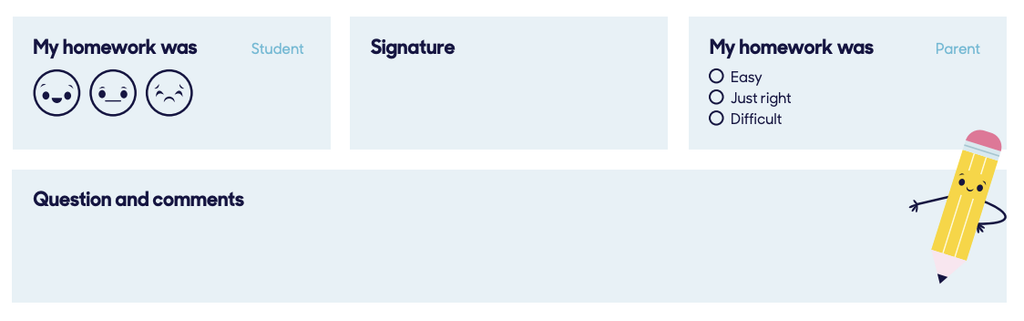
The homework page includes several sections designed to create communication between home and school.
Parent Signature
The parent signature confirms that the parent has seen and reviewed the homework.
Homework Difficulty
Parents can indicate whether the homework was:
- Easy
- Just Right
- Difficult
This gives the teacher a quick sense of how the assignment felt to the student at home.
Questions and Comments
Parents can also write a question or comment for the teacher.
When homework is completed consistently and reviewed daily, these sections can become a valuable communication tool—not just about Kriah, but about anything the teacher may need to know.
For example, a parent might write:
- “Could you please send home the Parsha project and Question of the Day one day early? We are traveling for Shabbos.”
- “She will be out of the classroom for an hour tomorrow for a dentist appointment.”
Because the teacher reviews the homework each morning, these notes are seen quickly and can provide useful information that might otherwise require a separate message.
Consistent daily review turns the homework folder into more than a way to track assignments—it becomes a simple and effective home-school communication tool.
Providing Homework Digitally
Homework can also be distributed digitally.
If you use a class chat or other digital communication system, simply upload the appropriate homework page or file for students and parents to access.
Frequently Asked Questions
Q: Can I prepare a week’s worth of homework in advance?
A: Yes. Both Classic Homework and Smart Homework can be prepared in advance.
With Classic Homework, mark the appropriate Homework Day on each page.
With Smart Homework, select the days when creating the packet. Smart Homework automatically fills in the appropriate Homework Day.
Q: Do I need to print the entire homework booklet?
A: No. Many homework booklets include extra pages for students who need additional support or practice. Only print the pages that are actually assigned.
Q: Which levels have homework?
A: Homework assignments are available for Purple through Green levels.
Q: Can I send homework through the class chat?
A: Yes. You can upload the appropriate homework page or file to your class chat.
Related Articles
- Classic Homework – Standard homework aligned with the Daily Lesson Plans.
- Smart Homework – Create individualized homework for students with customized needs.