Understanding Per Student Pricing
We price our service per student because our pricing model is directly tied to the value of the delivery. This approach allows smaller schools to only pay for the students they actually use, while larger schools, with more students benefiting from our software, pay proportionally more. This pricing structure enables us to offer a highly advanced software solution at very affordable rates, as we charge based on the number of students subscribed.
Our pricing structure follows a simple model: it’s a per-student license for the school year. Each licensed student gains access to all the features and resources for that entire school year, including over 12,000 downloadable materials, dynamically created resources, dynamically created flashcards, assessments, grading tools, reporting functionalities, and more!
Q & A
Question: Why is the pricing per student if the students do not log in?
Answer: The answer lies in the fact that students are the primary audience and beneficiaries of our Learning Portal, and they reap the benefits from it, whether they log in or not. We do not charge per user, be it teachers, tutors, parents, or administrators, and it is worth noting that a student may have multiple parents involved in their education. In fact, there can be more Learning Portal users than students in some cases. However, our pricing model is structured this way because it aligns with our core principle of charging based on the direct beneficiaries, the students themselves, rather than the number of users.
Question: What options are available for students who cannot afford this?
Answer: We are more than willing to collaborate with your schools to ensure affordability. We are excited to inform you that we accept government funding through technology funding for Learning Portal subscriptions, textbook funding for books, and professional development funding for workshops and coaching.
Question: Some of my students have left the resource room. Can I reassign their seats to new students on my case load?
Answer: If you need more seats, you can purchase additional subscriptions for the new students on your case load. The subscription model is priced per student. Once a student begins using any resources, such as workbooks, homework, or flashcards, the subscription is locked to that student and cannot be transferred. Each subscription is valid for the entire school year. Utilizing more resources will maximize the value of each subscription.
Question: I’m not sure yet how many students will need access to the app. What should I do?
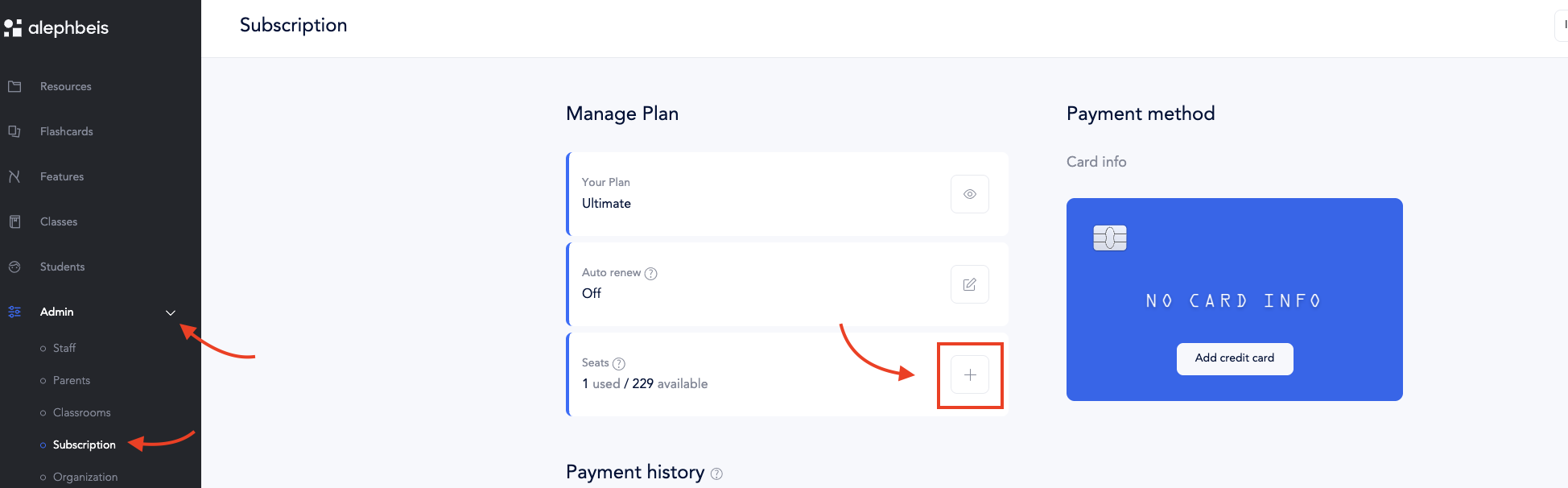
Answer: Start by purchasing licenses for the number of students you know will be using the app. If you need to add more later, it’s easy to do so one at a time. Just go to the Admin section, select Subscriptions, find Seats, and click the + button.
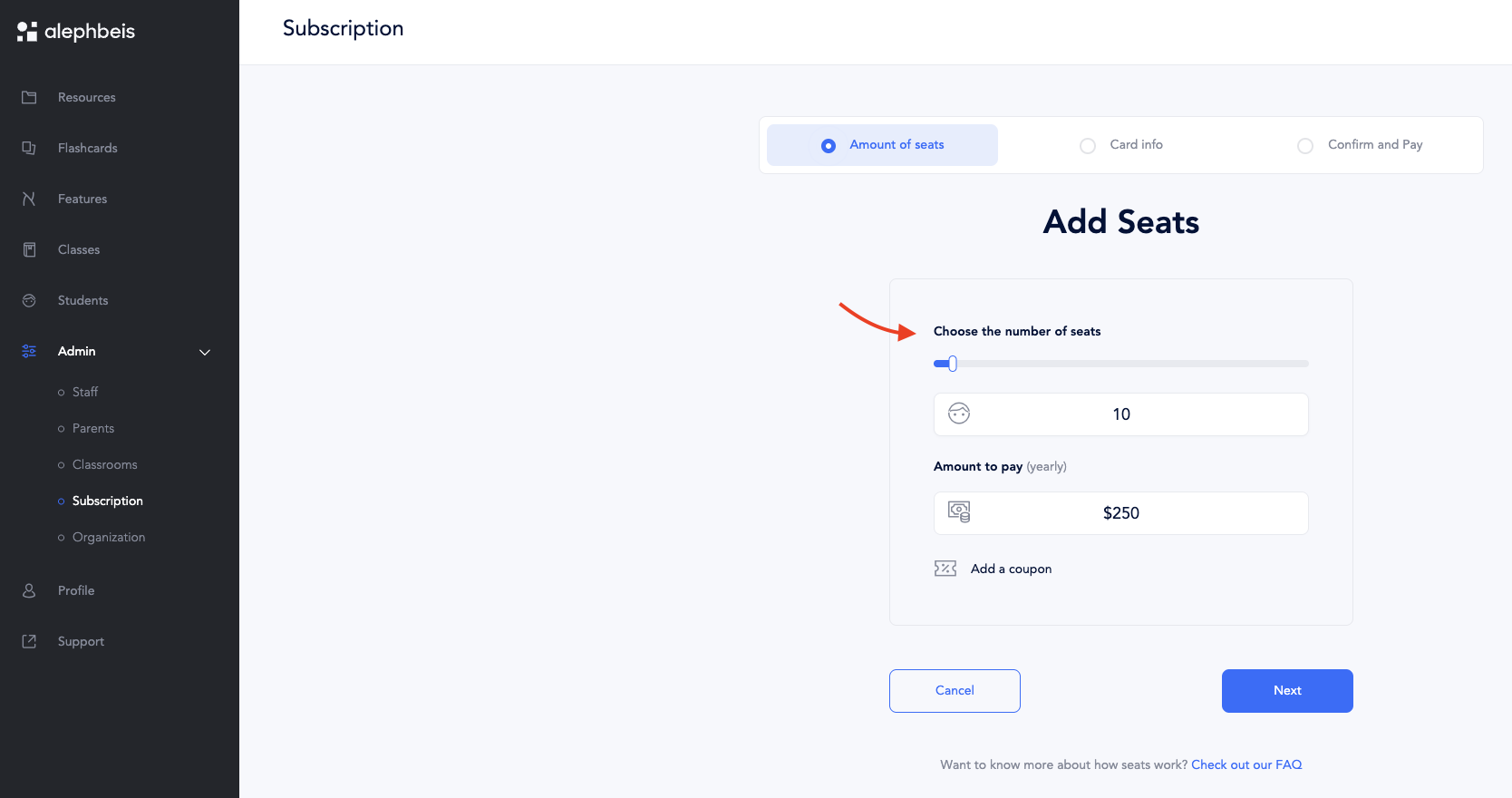
You’ll be taken to a page where you can choose how many additional seats to add (the default is 10, but you can adjust the number as needed). Follow the prompts to complete your purchase. This flexible, pay-as-you-go setup helps you avoid overpaying based on rough estimates.