
For details about parent accounts, please refer to the article titled “Parent Accounts“.
Refer to this article for guidance on identifying parents who have accessed the Learning Portal, resending invitations, and resetting passwords
Question: At what point are parents notified about their Learning Portal access?
Answer: As soon as the parents are uploaded to the Learning Portal, they will get an email that provides access to the Learning Portal where they can download resources and find their children’s information.
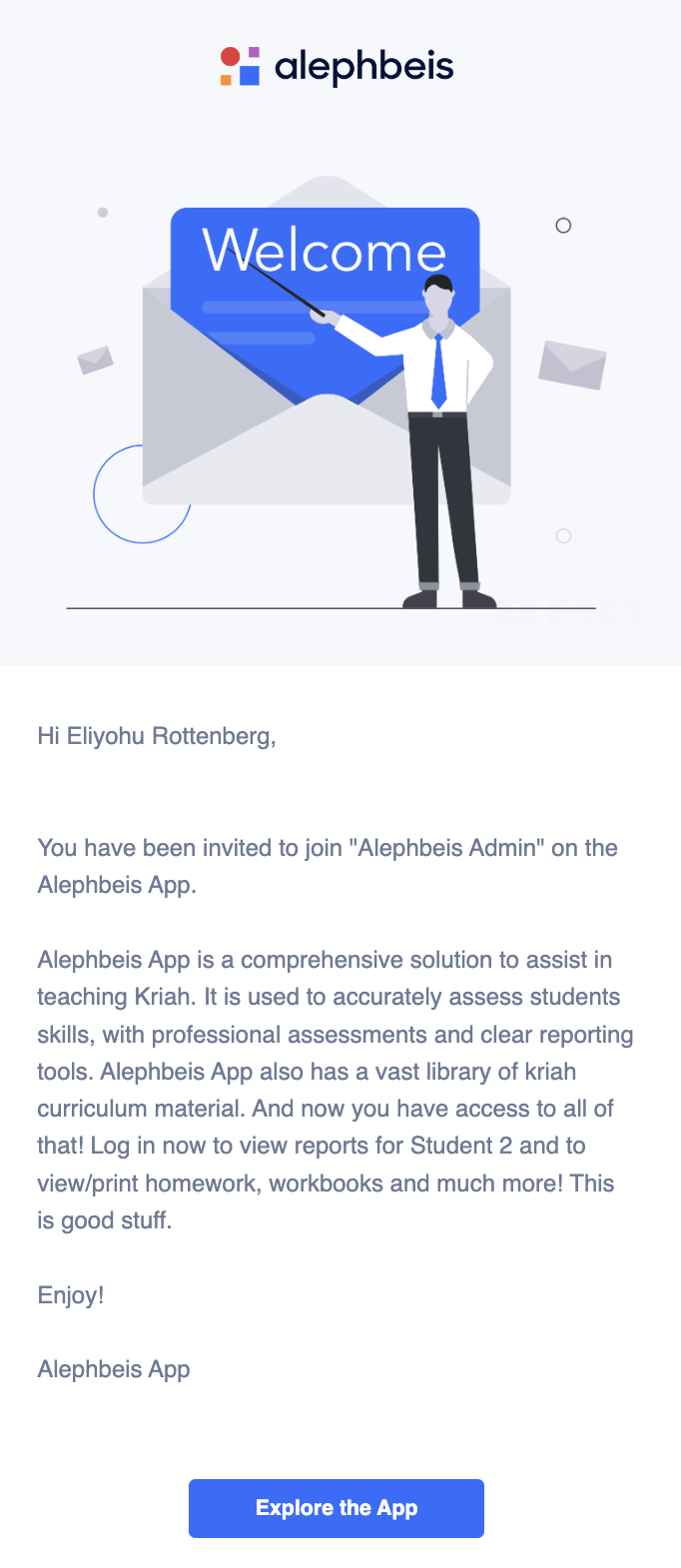
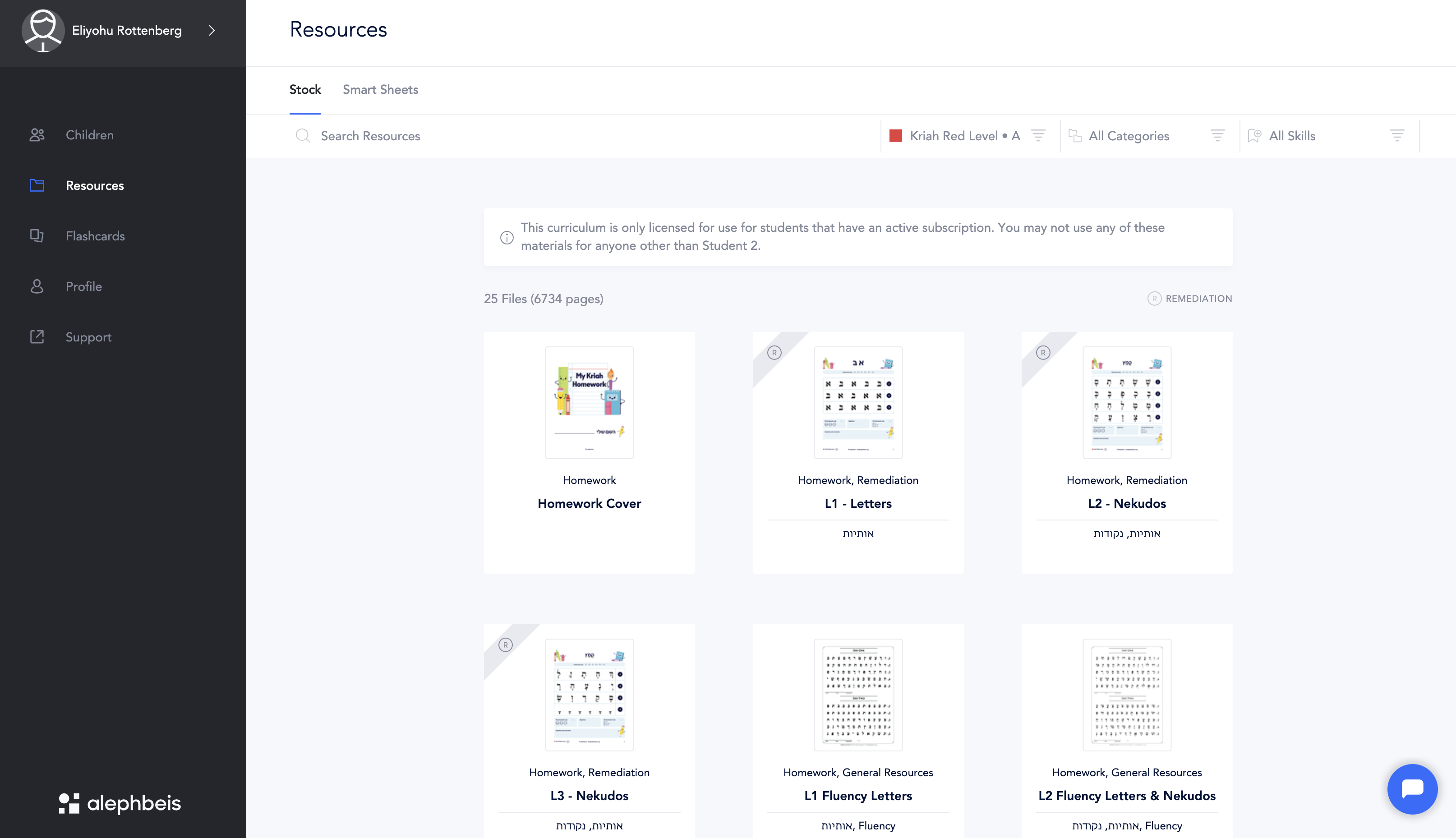
Question: What does the welcome email look like from the parent’s point of view, and what does the user interface look like when a parent is logged in?
Answer: Please refer to the images below.
Question: How do I resend an invitation to a parent?
Answer: Refer to this article
Question: Can parents see the Smart Sheets that I create?
Answer: Not at the moment. You’ll have to either print it or send it via email. It’s worth noting that parents have the capability to create Smart Sheets on their own, excluding iOS devices. They can also generate flashcards and employ them in testing mode, saving the student’s performance data when reading at home.
Question: With parents having access to assessment data, how can we ensure a productive conversation, especially when scores might be lower than expected at the beginning of the year?
Answer: Having parents see their child’s assessment data is a great opportunity to work together! We can be transparent about the results and focus on a growth mindset. For example, you could say:
- “These beginning-of-year assessments help us identify areas where your child can excel and where they might need some extra support. I’m looking forward to partnering with you to create a learning plan that addresses their strengths and challenges.”
- “While these scores give us a snapshot, there’s so much room for growth throughout the year. I’m confident that with your support and our collaboration, we can see significant improvement!”
This approach emphasizes working together with parents and focuses on future growth rather than dwelling on current scores. It also ensures that teachers target specific learning needs identified in the assessments.
Question: Do I need to enroll students in their new grade level for parents to access the Learning Portal over summer break?
Answer: Yes, to ensure parents have complete access to the Learning Portal, students should be enrolled in their upcoming grade level.
Question: I don’t want parents to have access to the Learning Portal yet. How can I prevent them from seeing the assessment results?
Answer: To prevent parents from accessing the Learning Portal, simply don’t include their email addresses when adding your students. If parents already have access, you can remove them by navigating to Admin > Parents > Select Student > Delete.

Please note, you’ll need administrative access to delete parents.


